
Photo sharing
The Complete Guide to Event Photo Sharing for Organizers
Event photo sharing works best when capture is effortless and every uploaded photo lands in one album you own. Here's how to set it up the right way.
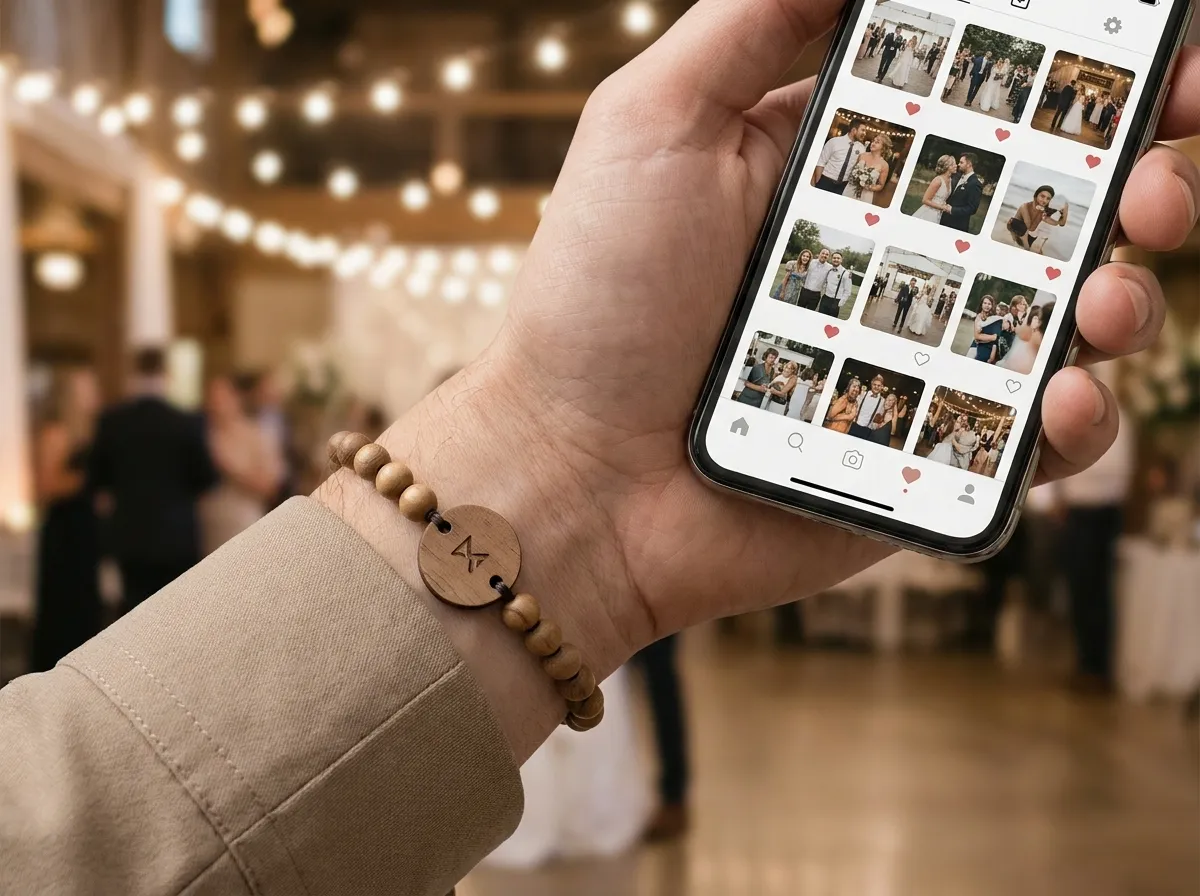
The best event photo sharing setup does two things at once: it makes capturing a photo so easy that guests actually do it, and it routes every uploaded photo into one shared album the organizer fully owns. Everything else — QR codes taped to walls, hashtag prompts, a shared Drive link nobody remembers — is friction that quietly loses you most of the photos your event actually produced.
If you’ve ever ended an event with a few photos from the official photographer and a black hole where hundreds of guest moments should be, this guide is for you. Below is how organizers think about photo sharing in 2026, where the usual methods break, and the setup that consistently gathers the most.
Why do most events lose their best photos?
Because the photos people care about most are the ones guests take, and guests almost never send those photos anywhere. They sit on phones, get half-shared to a group chat, and disappear. The moments your sponsors, recap reel, and next-year marketing need are exactly the ones that never reach you.
The usual fixes don’t fix this. A hashtag depends on people posting publicly (most won’t). A QR poster requires someone to notice it, walk over, and scan it. An “upload to this link” email arrives after the event, when everyone has moved on. Each adds a step, and every step sheds a chunk of your would-be contributors.
The goal isn’t more reminders. It’s removing every reason a guest wouldn’t share in the first place.
The pattern that works is capture at the moment, gather in one place. Make sharing a two-second action that happens during the event, and invite guests to choose and upload their photos into a single album you control. For a deeper look at the underlying methods, our guide on how to collect event photos breaks down each channel.
What’s the easiest way for guests to share photos?
A tap. When a guest taps a small chip to their phone, their own upload page opens instantly — no app to download, no account to create, no code to type. They add their photos and they’re done. It’s the lowest-friction capture method available, and low friction is the entire game.
This is what we built WearableEvents around. Every attendee wears an engraved bead band with a hidden tap-to-share chip (and a printed QR code as a fallback for any older phone). The flow looks like this:
- A guest taps the band to their phone.
- Their personal upload page opens and greets them by name.
- They add photos straight from their camera roll — no sign-up.
- Every uploaded photo lands in one live shared album the organizer keeps.
Because it’s a keepsake band rather than a paper card or a wall poster, the capture method is literally on the guest’s wrist all day. That proximity is why a tap-to-share approach tends to gather far more than a static sign. We compare the two head-to-head in QR photo wall vs. tap-to-share.
How do you handle privacy when everyone’s uploading?
Per-photo controls, enforced on the server — not the honor system. Every photo a guest uploads can be marked public, group-only, or organizer-only, and that setting is enforced behind the scenes rather than trusted to a UI toggle. Guests share candidly because they decide who sees each shot, and you still receive everything for your records.
This matters more than it sounds. Corporate events, galas, and fundraisers all have attendees who’ll happily contribute photos if they control visibility, and contribute nothing if they don’t. Giving people a real choice is what turns a privacy concern into a participation driver. If this is a priority for your event, see our deeper write-up on event photo privacy.
A few principles that hold across event types:
- Default to private-friendly. Let guests opt photos into public, not out.
- Keep the organizer’s copy complete. You own the full album regardless of each photo’s public setting.
- Make export trivial. You should be able to download the whole album for recaps and sponsor decks without chasing anyone.
What can you actually do with the album afterward?
A lot more than a slideshow. Because the organizer owns and can export the full album, those photos become recap reels, sponsor-recap decks, social content, and next-year marketing — all from real attendee moments instead of stock photos. The album is an asset, not a souvenir.
This is where photo sharing pays for itself. Sponsors care about reach and authentic visibility; a folder of genuine guest photos is exactly the proof they want. Marketing teams care about user-generated content; a live album is a renewable supply of it. We dig into the sponsor angle in building an event photo album sponsors actually value.
The NFC link can also open a branded event page with your agenda, map, sponsors and album. Event check-in requires a separate compatible platform and credential setup. Review that integration before treating a bracelet as an admission pass.
Which events benefit most from this?
Any event where people are together and taking photos — but the lift is biggest where the official-photographer-only model leaves the most on the table:
- Conferences and multi-day summits, where sessions, booths, and after-hours moments span days. (See conferences.)
- Galas and fundraisers, where keepsake value and donor goodwill both matter.
- Festivals and brand activations, where the volume of candid moments is enormous. (See festivals.)
- Corporate events and retreats, where teams want the real moments, not the staged ones. (See corporate events.)
Planning a wedding instead of a corporate or public event? Our sister brand handles that end to end — see WearableWedding, and our comparison of wedding vs. event bands if you’re weighing both.
For agencies and experiential teams running this across many clients, the whole system is available white-label, so the bands, the upload page, and the album all carry your brand instead of ours.
The takeaway
Great event photo sharing isn’t about nagging guests harder — it’s about removing friction at capture and owning the album at the end. Make sharing a single tap, give guests real privacy control, and route everything into one exportable album, and you’ll walk away with far more of your event’s best moments than any poster or hashtag would ever deliver.
Want to see how the bands look for your event? Design one in our 3D configurator, check pricing (made to order from five bands, with per-band prices published), or browse the FAQ for the practical details.
