
Comparisons
QR Code Photo Wall vs. Tap-to-Share Bands: Which Wins?
Compare QR photo-sharing signs with NFC keepsake bracelets. Both open a web destination; compare the platform, privacy controls and distribution plan.
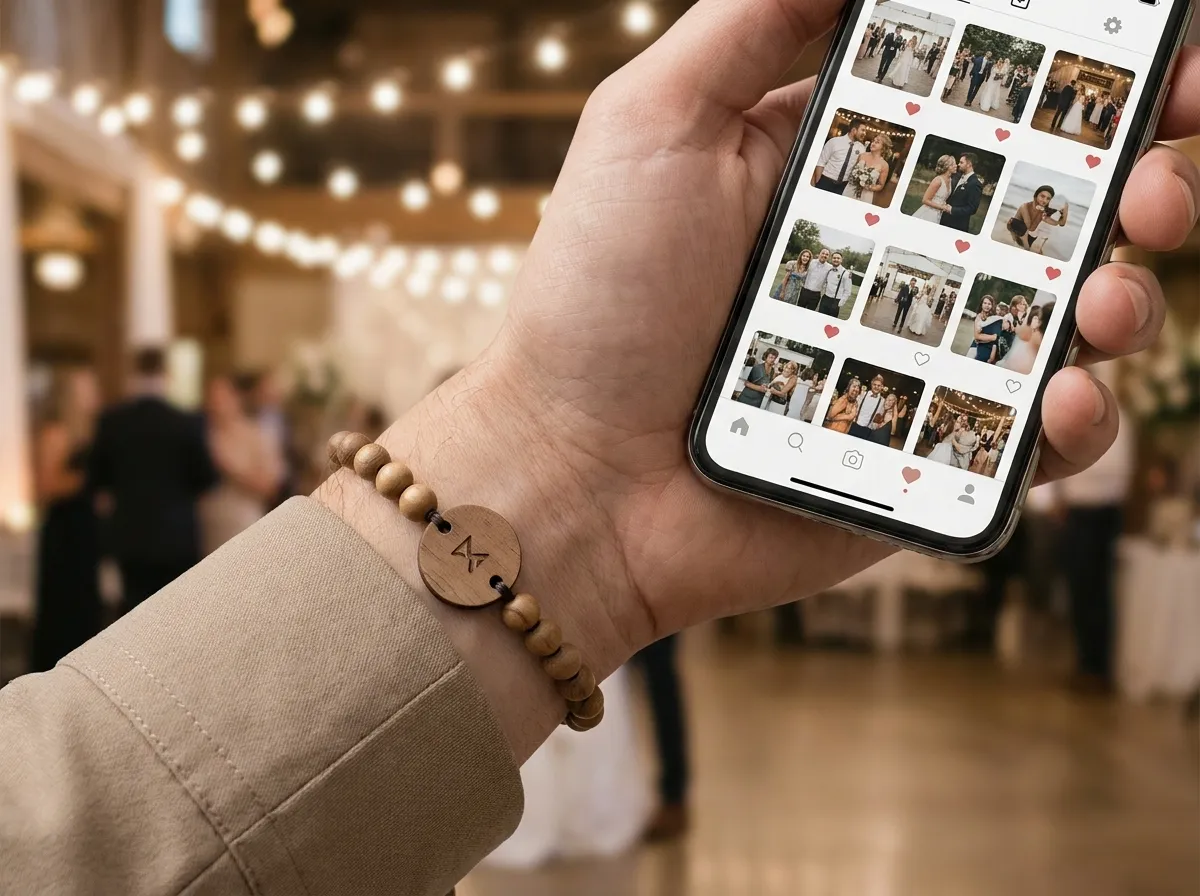
For collecting attendee photos at an event, tap-to-share bands beat a QR code photo wall on the metric that matters most: how many people actually contribute. A printed QR sign asks each guest to stop, frame a code, scan, and figure out where to upload. A band on the wrist removes those steps entirely. They tap their phone, their own upload page opens, and the photo lands in one shared album. Both fill a gallery, but one fights friction the whole night and the other doesn’t.
If you’re searching for a QR code photo wall alternative, here’s the honest comparison, including where QR still has a place.
Why does a QR code photo wall underdeliver?
A QR sign opens the linked page when guests scan it. Its usefulness depends on placement, legibility and the platform behind the code. Put prompts near registration, tables or activity areas rather than relying on one wall. The destination can be shared or personalized and can include privacy controls; compare those features separately from the physical prompt.
The result is a familiar pattern at events: a handful of early scans, then the wall goes quiet while hundreds of great shots stay trapped on individual phones. The photos exist. They just never reach the organizer.
A QR wall waits for people to come to it. A band goes wherever the guest goes.
To be fair, QR isn’t useless, and tap-to-share bands keep it as a backup. A printed QR is the right fallback for the rare older phone, a dead battery on a borrowed device, or a guest who simply prefers to scan. The mistake is making the only path a code on a wall.
How do tap-to-share bands fill the album instead?
Every attendee wears a band with a tiny tap chip inside. They hold a phone near it, no app to download, and their personal photo-upload page opens and greets them by name. From there, every photo they add flows into one live, shared event album the organizer keeps.
Three things change the math compared to a wall:
- Reach. The prompt to share is on every wrist in the room, not in one corner. People remember it because they’re literally wearing it.
- Speed. Tap, page opens, upload. No hunting for a sign, no aligning a camera on a code.
- Ownership. A named page makes contributing feel personal, which is a big reason people follow through instead of meaning to “later.”
Because the band is a keepsake too, real wood, stone, or porcelain beads with an engraved wood tag, guests don’t toss it the way they toss a lanyard. It keeps working as a soft reminder long after the QR sign comes down. You can see how the beads and engraved tag come together in our 3D configurator.
What about photo privacy and who sees what?
Privacy depends on the album platform and access rules, not whether a guest arrived through QR or NFC. WearableEvents photos can be set to public, group-only or organizer-only, with visibility enforced on the server. When comparing other platforms, check their privacy and moderation features directly.
That matters for real events. A team offsite has candid shots that should stay inside the company. A gala has donor moments meant only for the organizer’s recap. A festival crowd wants a public feed. One system, three honest privacy levels, no awkward “please don’t post that” conversations afterward. We go deeper on the mechanics in our event photo privacy guide.
Which one gives you a better recap and sponsor deliverable?
Compare the album features behind each route. WearableEvents lets organizers export the album for recap work and sponsor deliverables. QR-based services can also provide downloads, attribution, album organization and privacy controls; confirm the chosen platform and package rather than assuming a QR sign produces an unsorted dump.
Here’s the simple way to choose:
- Pick QR signs if a visible shared prompt fits your event and the linked platform supplies the album, privacy and export features you need.
- Pick tap-to-share bands if you want maximum contribution, real privacy controls, a keepsake, and an exportable album you actually own for sponsors and recaps.
The bracelet can also link to a branded event page with an agenda, map, sponsors and album. Check-in and event access require a separate compatible system and credential setup. See galas and fundraisers, corporate events and the NFC check-in requirements.
Is it worth the cost over a free QR sign?
A QR sign is cheaper up front. But the relevant question is cost per usable photo. If a wall captures a fraction of the room and the bands capture most of it, the bands are cheaper where it counts, especially when each one doubles as branded swag people keep. Bands are made to order from five up, with published per-band pricing, and most organizers order one per attendee. You can run your headcount through our pricing page or read the common questions in the FAQ.
Agencies and experiential teams can also private-label the whole experience, bands, the upload flow, and the branded event page, through our white-label program. And if you’re weighing this for a celebration rather than a corporate or festival event, our sister brand WearableWedding runs the same tap-to-share album for weddings.
The takeaway
QR signs and NFC bracelets are two ways to open a photo-sharing page. A bracelet adds a wearable keepsake and an individual prompt; signs provide a shared visible prompt. Choose the platform for its album, privacy and export features, and the physical route for your audience and budget.
If filling the album is the goal, put the share point on the guest, not on the wall. Design your bands in the 3D studio and see how a single tap turns a room full of phones into one album you keep.
