
NFC & tech
Networking at Conferences: How a Tap Can Open Your Profile
NFC networking at conferences means attendees tap a chip to instantly open a profile, photo page, or branded event hub. No app, no paper card.
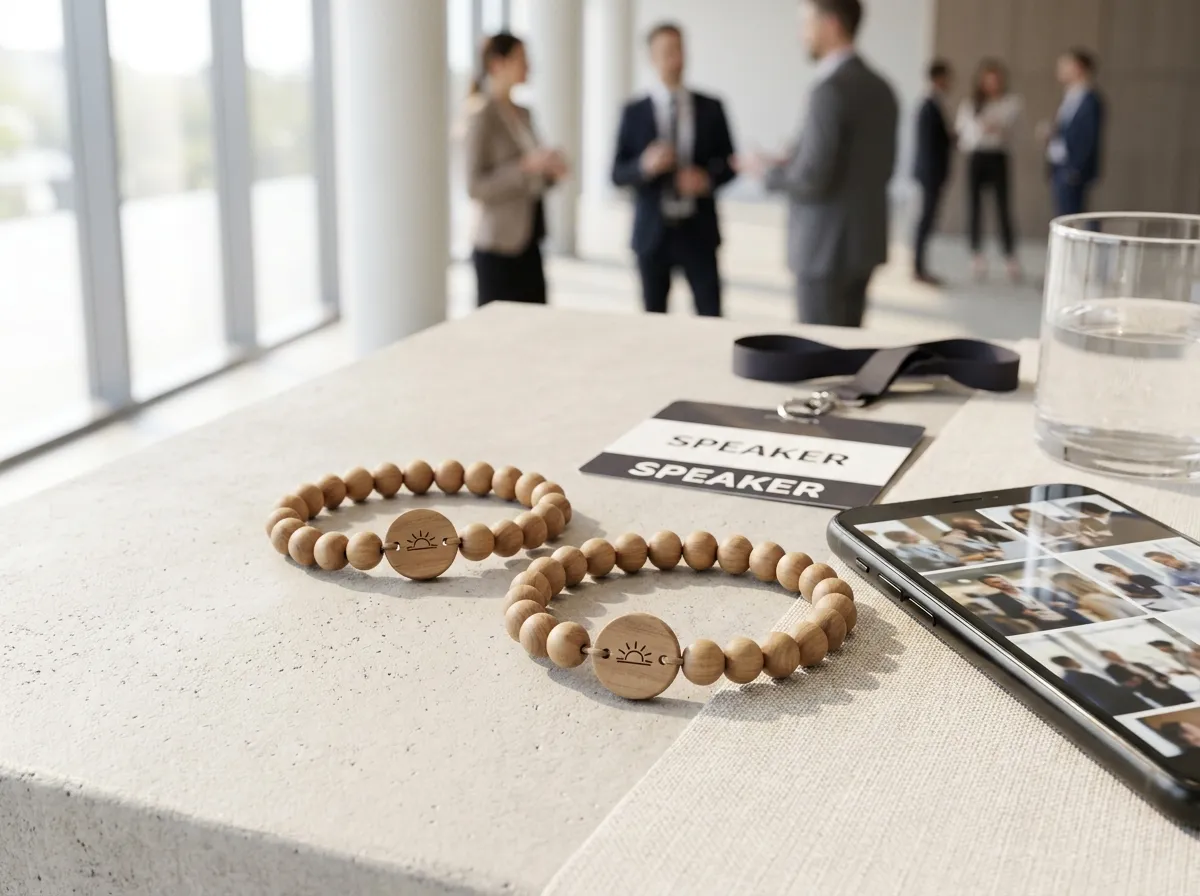
NFC networking at conferences works like this: an attendee taps a small chip in their badge or band against a phone, and a web page opens instantly — a profile, a contact card, a photo-upload screen, or a branded event hub. There’s no app to download and nothing to type. One tap, and the right page is on screen.
That single gesture is quietly replacing the most awkward part of any conference: the fumble. The paper-card swap, the “let me find you on LinkedIn,” the squinting at a QR code from across a table. A tap chip removes all of it, and because it’s a real web link behind the scenes, it can point to whatever moment matters most — a personal profile during the day, a shared photo album at the after-party.
What does NFC networking actually do at a conference?
NFC stands for “near-field communication” — the same short-range tech that powers tap-to-pay. A chip the size of a fingernail sits inside a band or badge, and when a phone comes within an inch or two, it reads a web address off the chip and opens it. No pairing, no Bluetooth menu, no battery in the chip itself.
For networking, that opened page is usually one of a few things:
- A digital business card or profile (name, title, company, links)
- A personal photo-upload page so the moment you just shared gets saved
- A branded event page with the agenda, venue map, and sponsors
- A check-in or session-access screen the organizer controls
The point isn’t the chip — it’s that the tap lands somewhere useful and the other person doesn’t have to install anything. The phone must support reading the NFC tag; otherwise use the available QR or direct link. A printed QR code on the same band covers the rare phone that prefers to scan instead of tap.
Why a tap beats a paper business card
Paper cards are easy to hand out and easy to lose. Most get dumped at the airport or buried in a tote bag, and even the good ones make the other person do the data entry later. A tap skips the transcription step entirely — the contact details, links, or follow-up form are already on their screen, ready to save.
The best networking tool is the one nobody has to think about. A tap is a gesture people already know from buying coffee.
There’s also a memory problem at conferences. By day two, faces blur and names slip. When a tap opens a profile and the photo you took together lands in a shared album, the follow-up email a week later has a face, a context, and a name attached. That’s the difference between a lead that converts and a card that goes in the trash.
How does a tap “open my profile”?
The chip stores a web link, and content at a stable URL can be updated without changing the bracelet; rewriting or changing the encoded address requires an encoding review. So one band can mean different things at different moments. During sessions, a tap might open the attendee’s profile page that greets them by name. At the reception, the same band can open a photo-upload page — they choose a shot and upload it, and it flows into one live, shared event album the organizer keeps.
Every photo can be set to public, group-only, or organizer-only, and that privacy choice is enforced on the server — not just hidden in the interface. So a candid from the keynote can be public, while a private team huddle stays inside the group. For a closer look at how that album fills up across a multi-day program, see our guide to collecting event photos and what works at conferences specifically.
If you want to picture the physical object, you can build one in the 3D configurator — real wood, stone, or porcelain beads with a laser-engraved tag, the tap chip hidden inside.
What can organizers do with all those taps?
The band opens an agreed web destination. A profile, contact form or event hub needs its own website service; check-in and access need a separate compatible credential system. Review what the destination and integration actually provide:
- Check-in and access — separate compatible registration and credential systems must validate entry
- A branded event hub — one tap opens the agenda, map, sponsor list, and live album
- Photo collection at scale — every attendee becomes a roaming camera, feeding one album the organizer owns and exports
That owned, exportable album is the asset most planners underrate. It becomes the recap reel, the sponsor-recognition deck, and next year’s marketing in one pass — see how that plays out for recap footage and sponsor-ready albums. The organizer controls the whole thing; attendees tap, choose photos and upload them.
Is NFC right for your conference?
If your event runs more than a few hours, has sponsors who want visibility, or sends a follow-up afterward, NFC earns its place. It replaces three separate things — the swag giveaway, the networking tool, and the photo-collection plan — with one band each attendee already wants to wear. Bands are made to order from just five, and the per-band price falls as quantity grows, so it scales from a small executive retreat to a multi-thousand-person summit. (See pricing for how that works, and the FAQ for the practical questions.)
Agencies and experiential teams running events for clients can put their own brand on the whole experience through white-label — the bands, the upload pages, and the album all carry your name, not ours.
The takeaway
NFC networking at conferences means one simple gesture — a tap — opens exactly the right page for the moment: a profile, a photo upload, or a full event hub, with no app and no friction. The chip is small, but the payoff is a smoother room, warmer follow-ups, and an event album the organizer keeps forever.
Design the band your attendees will actually want to wear in the 3D configurator. Planning a wedding instead of a conference? Our sister brand WearableWedding does the same magic for the aisle.
