
Photo sharing
Event Recap Reels: Where to Get the Footage (Your Attendees)
The best footage for your event recap reel comes from attendees' own phones. Here's how to collect it through attendee uploads and edit it into a reel fast.
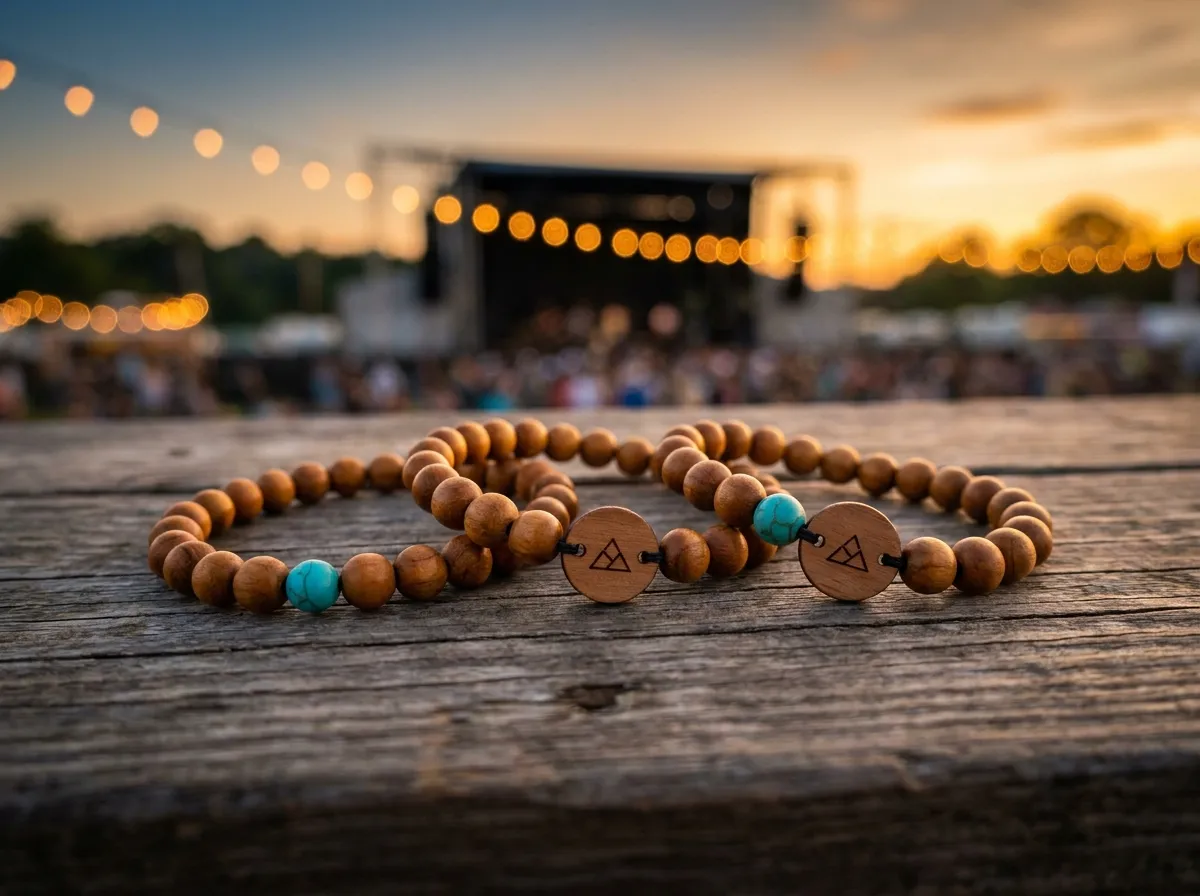
The best footage for your event recap reel isn’t shot by one videographer in the corner — it’s already on hundreds of phones in the room. Your attendees capture the candid, multi-angle, emotionally honest moments a single camera can never reach, and if you give them an easy way to drop those clips into one shared album, you walk away with a recap reel that took zero crew hours to gather.
A hired shooter can hand you a polished sizzle, but they can only stand in one place. The reaction at the back table, the dance floor at 11 p.m., the founder hugging a customer — those happen everywhere at once, and the people living them are filming anyway. The whole game is making it effortless for that footage to flow to you instead of disappearing into a thousand camera rolls.
Where does the best recap-reel footage actually come from?
Most organizers default to one of two flawed plans: hire a videographer (expensive, single-angle) or beg people on a Slack channel afterward (you’ll get four blurry clips three weeks late). The footage that makes a reel feel alive is attendee-shot, and the reason it works is variety:
- Coverage everywhere at once. Hundreds of phones means hundreds of vantage points — exactly what fast-cut reels are built from.
- Authentic reactions. People film what genuinely delights them, so the clips already carry the emotion you want to highlight.
- Native vertical. Phone footage is already shot for the formats your reel will live in.
- Zero crew cost. You’re not paying per hour to capture moments your guests are capturing for free.
The catch has always been collection. People will film. They just won’t reliably text, AirDrop, or upload it to your folder later. Solve collection and the footage problem solves itself.
Why is “collect it afterward” the wrong plan?
Asking for footage after the event is asking people to do unpaid homework once the high has worn off. By the time you send the “please share your clips!” email, attendees have moved on, their photo rolls are buried, and the friction of finding, selecting, and uploading the right videos is more than most will bother with.
The footage exists. The reel dies in the gap between “they filmed it” and “you got it.” Close that gap during the event and you’re editing the next morning, not chasing files for a month.
The fix is to capture in the moment, while people are still standing in the experience. That’s where giving everyone a simple, physical prompt to share — right on their wrist — changes the math. For more on gathering media live, see collecting event photos and our broader event photo sharing guide.
How do tap-to-share bands turn attendees into your camera crew?
WearableEvents gives each attendee an engraved bead band with a hidden tap-to-share chip (and a printed QR code as a backup). They tap the band to their phone, their own upload page opens and greets them by name, and the photos they share flow into one live, shared event album you control. No app to download, no folder to find later — just tap, upload, done.
A few things make this ideal for recap-reel sourcing:
- It’s right on the wrist. The prompt to share is physically present all night, not buried in an email.
- One album, organized. Every clip lands in the same place, tagged to your event, ready to scrub through.
- Privacy is built in. Each upload can be public, group-only, or organizer-only — and visibility is enforced on the server; confirm permission separately for the intended reuse.
- You own the export. As the organizer, the album (and everything you pull from it) is available to download; editing and reuse require permission for the intended purpose.
The bands are made to order from just 5 pieces, and most organizers order one per attendee. You can design yours in the 3D configurator and see exactly how the beads and engraved tag will look before you commit.
How do I edit attendee footage into a finished reel?
Once your shared album is full, the editing is the easy part. A workable approach:
- Cull fast. Scrub the album and star the clips with real energy, clean audio, or a great reaction — aim for variety of angles.
- Build a 15–60 second spine. Open on the strongest moment, then cut to rhythm: arrivals, the big reveal or keynote, candid laughs, the closing crowd.
- Layer one music bed. A single track unifies wildly different source clips into something that feels intentional.
- Honor permissions. Pull only from clips cleared for your intended use; the album’s per-photo settings make that simple.
- Cut platform-native versions. A vertical cut for social, a wider cut for your post-event email and sponsor recap.
Because the footage is genuinely multi-source, your reel reads as “everyone was there and loved it” rather than “we hired someone to make it look that way.” That authenticity is what makes sponsors and future attendees lean in. If sponsors are part of your math, pair this with our piece on building an event photo album for sponsors.
Does this work for every kind of event?
Yes — anywhere people are already filming. It shines at high-energy, multi-room gatherings:
- Festivals and music events, where the crowd is the best camera (see festivals).
- Conferences and summits, especially multi-day ones with sessions running in parallel.
- Brand activations, where attendee footage doubles as user-generated content.
- Galas, parties, and corporate events, where candid moments outshine any staged shot.
Agencies and experiential teams running these for clients can put their own branding on the bands and the event page — full white-label is available. Browse the use cases for formats, and if you’re sorting out budget, the pricing page and our notes on custom band cost lay out the per-band prices (from 5 bands). Planning a wedding instead? Our sister brand handles those at WearableWedding.
The takeaway
Stop hiring a single camera and stop chasing files after the party. The best recap-reel footage is already being shot by the people in the room — your job is to make sharing it effortless and to keep every clip in one place you own. WearableEvents does exactly that with a tap-to-share band on every wrist, a single live album you control, and built-in privacy on every upload. Check the FAQ for the details, then turn your next event’s footage into a reel before the coffee’s cold.
