
Photo sharing
How to Run a Photo Contest at Your Event (the Easy Way)
Run an event photo contest the easy way: give every attendee a tap-to-share band so photos land in one album you can judge — no hashtag, no app.
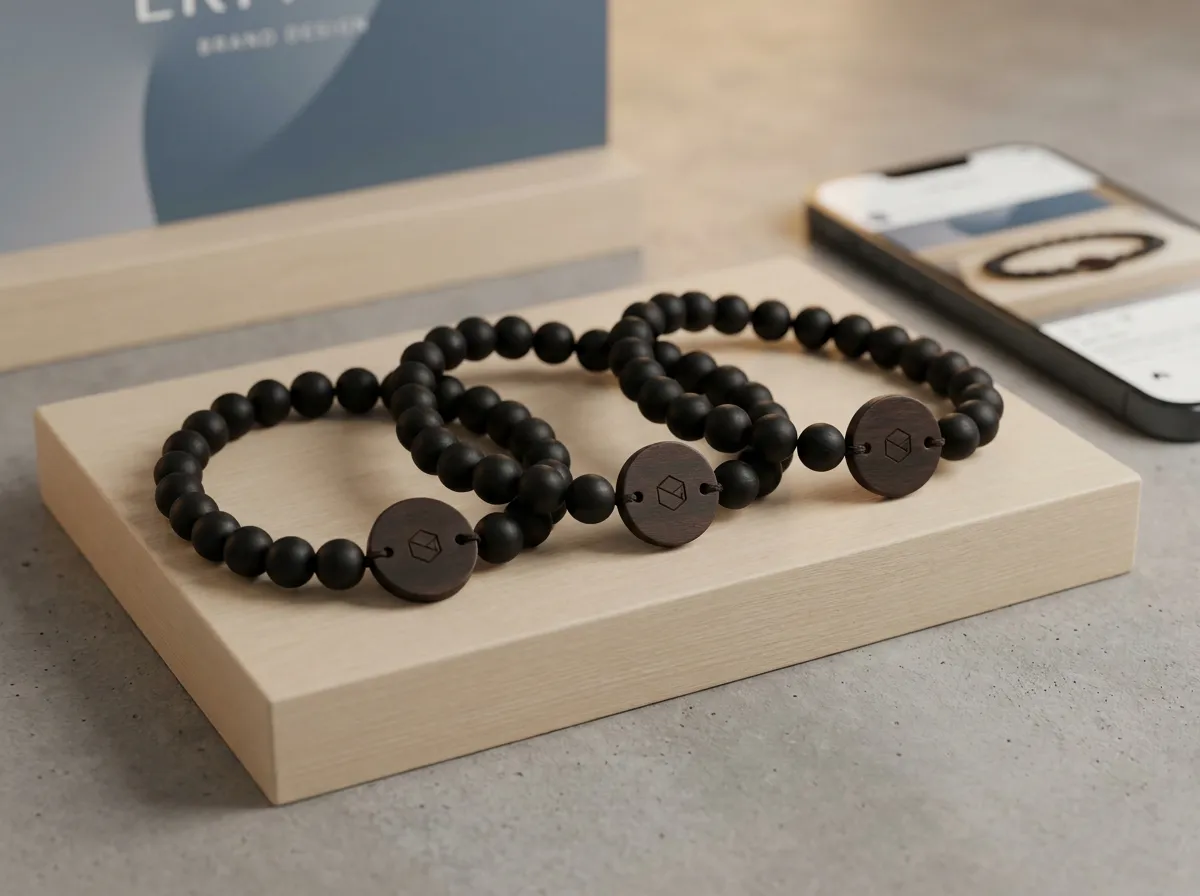
The easiest way to run an event photo contest is to give every attendee a tap-to-share band: they tap it to their phone, their own upload page opens, and every entry flows into one live album you can browse, sort, and judge in one place. No hashtag to police, no app to install, and no scrolling three different social feeds at 11pm trying to find the submissions.
Most photo contests die in the logistics. You announce a hashtag, a few people post, you can’t tell which posts are real entries, half are set to private so you never see them, and judging turns into a manual screenshot hunt across platforms. A contest is only fun if entering is effortless and collecting entries is automatic — and that’s exactly the part the old hashtag method gets wrong.
What makes an event photo contest actually work?
A photo contest works when three things are true: entering takes one action, every entry lands in one place, and the winner is easy to pick and easy to celebrate. Break any one of those and participation collapses.
The hashtag approach breaks all three. Entering means remembering a string, spelling it right, setting your post public, and tagging it correctly — so most people don’t bother. Entries scatter across Instagram, TikTok, and camera rolls you’ll never see. And judging means manually hunting down posts that may or may not still exist. The fix isn’t a better hashtag. It’s removing the friction entirely.
That’s where a tap-to-share band changes the math. Each attendee already has one on their wrist, so the contest “entry form” is something they’re literally wearing. Tap, upload, done.
How do you run the contest with tap-to-share bands?
Each guest wears an engraved bead band with a small hidden chip and a printed QR backup. When they tap it to a phone, their personal upload page opens and greets them by name. They add their best shot right there, and it drops into the one live album you keep as the organizer. Here’s the flow start to finish:
- Set the theme and the rules. Announce it at the open — “best candid,” “funniest table,” “best brand-activation moment” — and keep it to one clear category if you can.
- Tell people how to enter. “Tap your band, upload your photo.” That’s the whole instruction. Older phones scan the printed QR instead.
- Watch entries roll in live. Photos appear in your album as people upload, so you can even show a running feed on a screen wall.
- Judge from one place. Browse the full album, shortlist your favorites, and pick a winner without leaving the page.
- Announce and celebrate. Show the winning shot on the big screen, then keep the entire album as recap and sponsor material.
Because the band greets each person by name, you always know whose entry is whose — no anonymous mystery posts, and easy to contact the winner.
A contest people can enter without thinking gets ten times the entries of one that asks them to remember a hashtag. Make the entry the thing already on their wrist.
How do you keep entries organized and private?
Every uploaded photo carries a visibility setting, and it’s enforced on the server — not just hidden in the app. An attendee can mark a shot public, group-only, or organizer-only, so people share comfortably knowing a candid won’t end up somewhere they didn’t intend. For a contest, that matters: guests are more willing to enter when they control where the image goes.
As the organizer, you own and export the full album. That means the contest doesn’t just produce one winner — it produces a complete library of attendee photos you can pull from for the recap reel, the post-event email, and the sponsor report. The contest is the hook; the album is the lasting asset. If you’re still weighing collection methods, our breakdown of a QR photo wall vs. tap-to-share covers the trade-offs in detail.
Which events is this best for?
A tap-to-share photo contest fits almost any gathering where people already have phones out, but it shines at a few in particular:
- Brand activations — a contest turns attendees into willing creators of on-brand content you can reuse, which is exactly what an activation photo strategy is built around.
- Festivals — playful categories and a live screen wall feed the energy across a long day.
- Corporate events and parties — a friendly contest gets quiet attendees participating and gives you team photos you’d never have captured otherwise.
Because the bands are made to order from five and most organizers get one per attendee, the contest scales from a small launch party to a multi-thousand-person festival without changing the workflow. Per-band pricing is published and drops as quantity grows, so you can size it to your guest count and budget. (Planning a wedding instead of an event? Our sister brand WearableWedding runs the same idea for couples.)
The takeaway
A great event photo contest isn’t about a clever hashtag — it’s about removing every step between “I have a photo” and “it’s entered.” Tap-to-share bands do that by living on the attendee’s wrist, opening a personal upload page in one tap, and funneling every entry into a single album you can judge, export, and reuse. You get more entries, cleaner organization, built-in privacy controls, and a full photo library when it’s over.
If you’re ready to build one, design your own band in the 3D configurator, see more ways to use it, explore white-label options for your agency, or check the FAQ for the practical details.
