
Photo sharing
Event Photo Sharing Without an App: How Tap-to-Share Works
Compare an event photo sharing app with a browser-based upload page. Guests tap a bracelet, choose photos and add them to a shared album without an app.
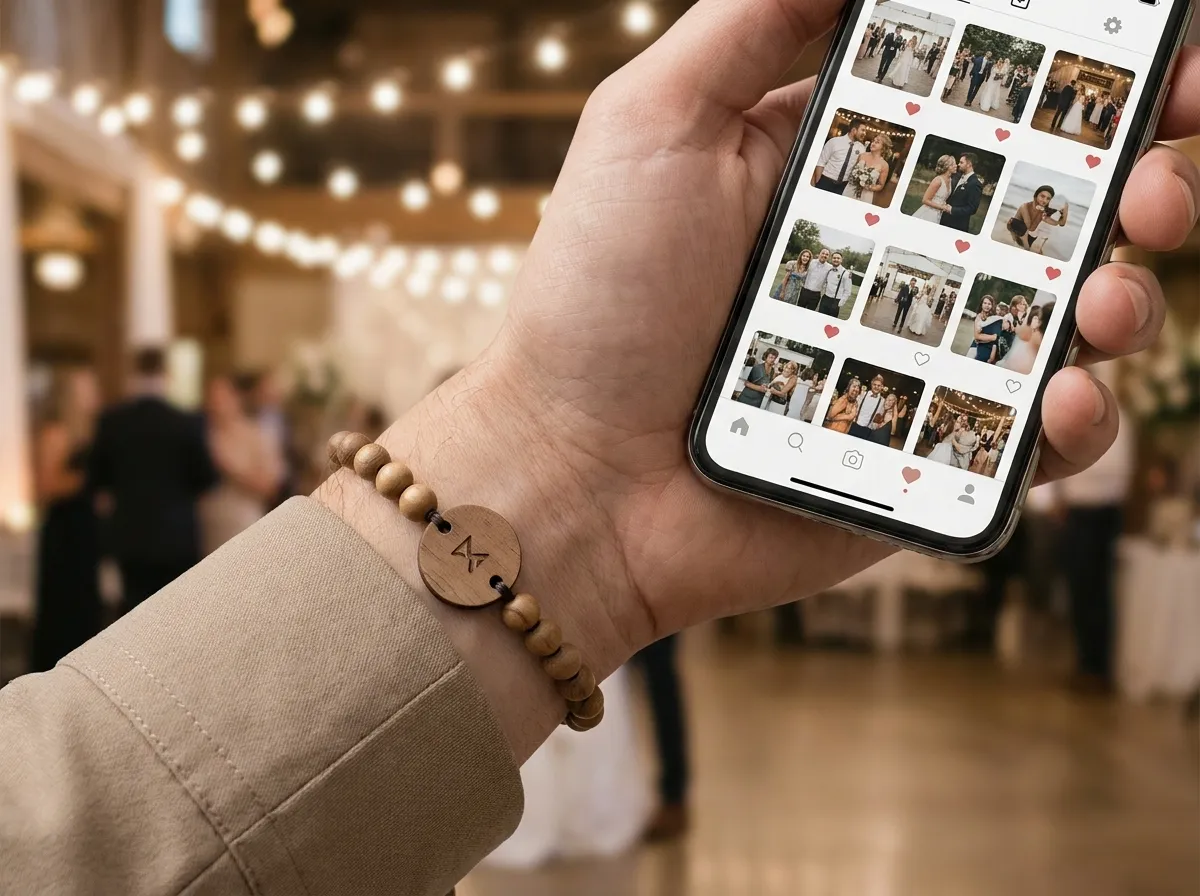
The best event photo sharing app is no app at all. Instead of asking hundreds of guests to download something, create an account, and remember to use it, a tap-to-share band lets each attendee hold their phone near the band, watch their own upload page open, and drop in a photo, with every uploaded shot flowing into one live shared album the organizer keeps. No install, no login, no app-store friction. That’s the whole point: the lower the bar to contribute, the more of the room actually does.
Here’s how it works, why skipping the app fills the album, and what you get to keep at the end.
Why is “no app” the better way to share event photos?
Every app you ask guests to install is a wall, and most people won’t climb it during an event. They’d have to find it in the store, wait for it to download on conference Wi-Fi, sign up, and grant permissions, all while the moment they wanted to capture passes. The drop-off is brutal, and the people who skip it usually have the best candid shots.
Tap-to-share removes the wall completely. The tap chip lives inside the engraved wood tag of a bead band on every wrist, and a quick tap opens a web page right in the phone’s browser. No app means:
- Nothing to install. It works the first second a guest holds their phone to the band.
- No account. Their page greets them by name, so it already feels like theirs.
- No platform lock-out. Modern iPhones and Androids both tap and open the page; a printed QR code on the same band is the backup for any phone that doesn’t.
The fastest “app” to adopt is the one nobody has to download.
That last point matters. You’re not betting the night on everyone owning the right phone or installing anything; you’re meeting them where they already are, in a browser, with the band doing the work.
How does tap-to-share actually move photos into one album?
Each attendee wears a band with a tiny tap chip inside, the same kind of chip you know from a contactless card or transit pass. They hold a phone near it, their personal upload page opens and greets them by name, and every photo they add lands in one shared event album the organizer controls. No manual collecting, no chasing people for their camera roll, no “can you AirDrop me those?” the week after.
A personal upload page gives each attendee a clear place to contribute. The NFC link can also open an agreed branded event page with your agenda, map and sponsor links. Check-in and access require a separate compatible system; our guide to NFC event check-in explains what to review.
If you want to picture the physical object guests are wearing, real wood, stone, or porcelain beads with a laser-engraved wood tag, you can build one in our 3D configurator and see the materials come together.
What about privacy, who sees each photo?
This is where a no-app system has to be more careful than a casual group chat, and tap-to-share handles it at the source. Each photo can be set to one of three levels, and the choice is enforced on the server, not just hidden behind a setting in the interface:
- Public for the open feed everyone can see.
- Group-only for a team, table, or crew that shares internally.
- Organizer-only for moments meant just for the recap or the host’s eyes.
That structure is what makes “no app” safe for serious events. A company offsite keeps candid shots inside the company; a gala keeps donor moments private; a festival runs a public crowd feed. One flow, three honest privacy levels, no awkward “please take that down” afterward. For the full mechanics, see our comparison of a QR photo wall versus tap-to-share.
What do you actually keep at the end?
You keep the whole album, and you own it. The organizer can export every photo, turning a room full of scattered phones into real assets: a recap reel, a thank-you email, a content library, and proof for sponsors that their logo was in the moment. That’s the difference between a fun live slideshow and a deliverable you can use for months. We dig into the post-event side in our piece on building an album sponsors love.
You also keep the band itself. A lanyard gets tossed at the door; an engraved bead band with real materials becomes a keepsake guests wear home, so the share prompt keeps living on their wrist and the brand on the tag travels with them. That dual life, capture device during the event and keepsake after, is why it pulls double duty as event swag. See how it lands across conferences and brand activations.
Is a no-app band worth it over a free upload link?
A bare upload link is cheaper up front, no argument. But the number that matters is photos per dollar and relationships kept, not the cost of the link. A link in a slide deck captures a fraction of the room; a band on every wrist captures most of it, and each one doubles as branded swag people keep. Bands are made to order from five up, with published per-band pricing, and most organizers order one per attendee. Run your headcount through our pricing page, or skim the common questions in the FAQ.
Agencies, experiential teams, and promotional-products distributors can private-label the entire experience, the bands, the upload flow, and the branded event page, through our white-label program. And if you’re planning a celebration rather than a corporate or festival event, our sister brand WearableWedding runs the same tap-to-share album for weddings, as we cover in wedding bands versus event bands.
The takeaway
The best event photo sharing app is the one your guests never download. A tap-to-share band opens each person’s own upload page in a browser, collects the photos guests choose to upload into one album you own, and enforces real per-photo privacy, with a printed QR kept as a backup. No installs, no accounts, no nagging people for camera rolls a week later.
Put the share point on the wrist, not in an app store. Design your bands in the 3D studio and see how a single tap turns a room full of phones into one album you keep.
