
Photo sharing
How to Build an Event Photo Album Your Sponsors Will Love
Build an event photo album for sponsors by collecting attendee photos into one live album, then sharing branded, rights-cleared galleries and recaps.
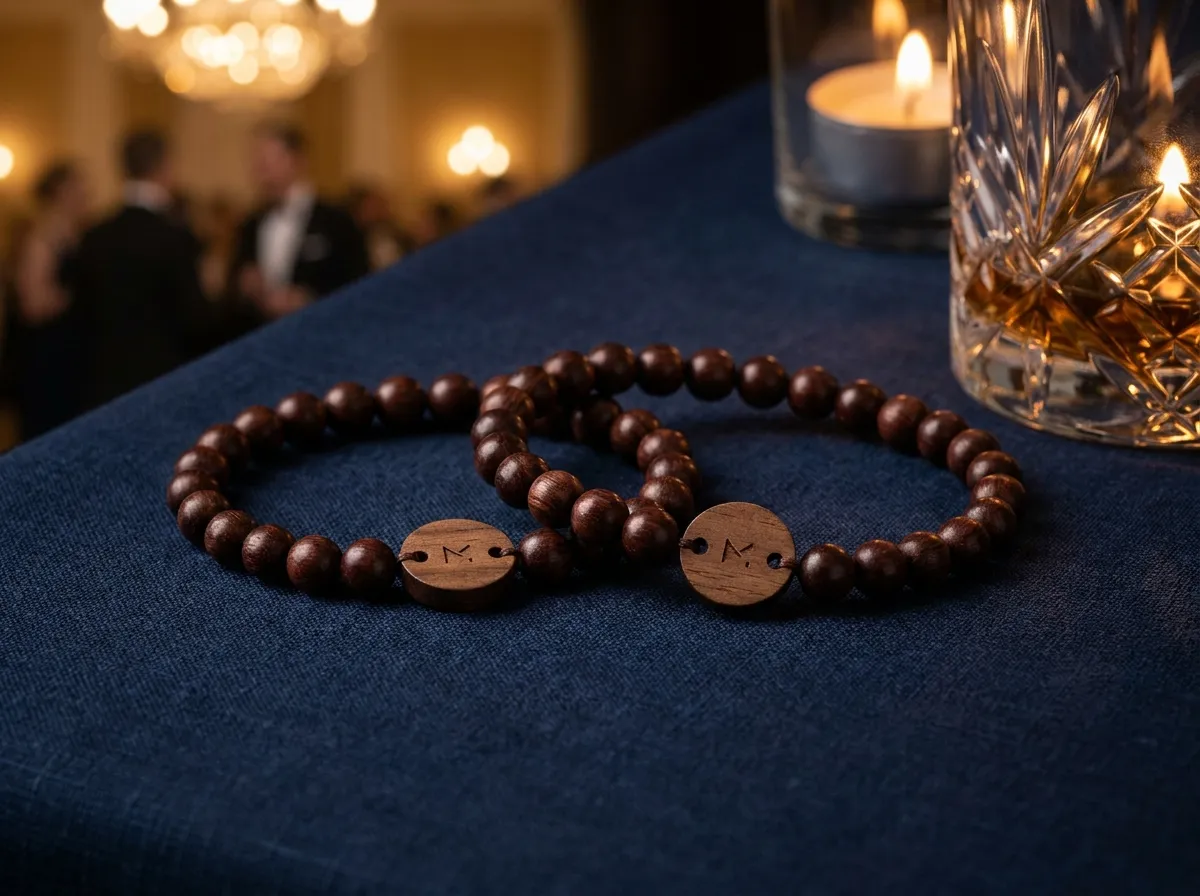
To build an event photo album your sponsors will love, collect every attendee’s photos into one live, organized album, then hand sponsors a clean, branded gallery (or a recap reel) that shows their logo in real moments with real people. The trick is inviting attendees to choose and upload photos during the event instead of begging for them afterward, and locking in privacy permissions up front so you can share confidently.
Most sponsor decks die on a slide that says “estimated reach.” A folder full of authentic, on-the-ground photos featuring your sponsor’s branding does something a chart never will: it proves the activation actually happened, and people actually engaged with it. That’s the asset you want to walk into the renewal conversation with.
Why do sponsors care about your photo album?
Sponsors fund events to be seen doing something meaningful, not just to print a logo on a lanyard. A strong event photo album gives them three things they can use long after the doors close:
- Proof of presence. Photos of the booth, the branded lounge, the stage banner, the swag in someone’s hand. This is the evidence that the dollars turned into something real.
- Reusable content. A pile of authentic, candid shots they can repost, drop into their own recap, or pass up the chain internally to justify next year’s budget.
- Audience signal. The faces, the energy, the demographics. Sponsors want to confirm they reached the room they paid to reach.
The catch: this only works if the photos are good, plentiful, and actually of the event — not five blurry shots from your own phone. That means you need attendees taking and sharing photos, at scale, without friction. For the wider playbook on gathering that content, see our guides to collecting event photos and event UGC collection.
How do you collect enough photos to make sponsors happy?
The honest answer is that hashtags and “tag us!” signage barely work anymore — people forget, the feed is noisy, and you never own the result. The reliable approach is to make sharing a photo the easiest thing an attendee does all day.
That’s the idea behind a tap-to-share band. Every attendee wears an engraved bead band with a hidden tap chip (and a printed QR code as a fallback). They tap it to their phone, their personal upload page opens and greets them by name, and the photo flows straight into one shared event album you control. No app to download, no account to make, no hashtag to remember.
When sharing is a one-second tap on something you’re already wearing, you don’t get a trickle of photos — you get the whole room.
Because the photos guests upload gather in a single organizer-managed album, you’re not chasing a dozen camera rolls after the event. The content is already gathered, sorted, and yours by the time the lights go up. If you’re weighing your options, our QR photo wall vs. tap-to-share breakdown covers the trade-offs in plain terms.
How do you keep the album private and rights-clean for sponsors?
This is the part organizers underestimate, and it’s exactly what makes a sponsor’s legal team nervous. You can’t hand a brand a gallery of photos that attendees didn’t agree to share publicly. So permissions need to be built in, not bolted on.
Every photo in a WearableEvents album carries a visibility setting that’s enforced on the server, not just hidden in the interface:
- Public — visible in the public album; confirm permission separately before sponsor or promotional reuse.
- Group-only — visible to a defined group, like a team or a session.
- Organizer-only — yours to review, never shared.
Visibility tells you who can view a photo in the album. Before handing photos to sponsors, separately confirm permission for their intended use. Curate that approved set for delivery. For more on visibility and event communication, read event photo privacy.
How do you turn the album into a sponsor-ready deliverable?
A raw dump of 2,000 photos isn’t a deliverable — it’s homework. The work is in the packaging, and a well-organized album makes that fast.
Here’s a simple workflow that lands well with sponsors:
- Curate the approved set. Pull the strongest 30–60 photos cleared for the intended use that feature the sponsor’s branding, booth, or activation in genuine, in-the-moment shots.
- Build a branded sub-gallery. Share a clean, sponsor-specific gallery — their logo, their moments, a short note on context (the session, the crowd, the activation).
- Add a recap. Stitch the best frames into a short recap reel. The footage is already there; see event recap reel footage for how to pull it together.
- Export and deliver. Because you own and can export the full album, you can send sponsors exactly what they need without scrambling for source files.
The same chip that gathers photos can also link attendees to a branded event page — agenda, map, and a sponsor section — so the sponsor’s presence shows up before, during, and after the event, not just on a banner. Brand and experiential teams lean on this for brand activations, and agencies running it for clients use our white-label program to put their own name on the whole experience.
The takeaway
A sponsor-ready event photo album isn’t something you assemble the week after; it’s something you set up before doors open. Give every attendee an easy, name-personalized way to share, route every uploaded photo into one album with server-enforced privacy, then curate a branded gallery and recap your sponsors can actually use. That’s the difference between “estimated reach” and proof.
WearableEvents makes that the default — engraved bead bands with a tap-to-share chip, one live organizer-owned album, and clean export. Made to order from five bands, with published per-band pricing, and most events order one band per attendee. Design yours in the 3D configurator, see how it plays out at galas and fundraisers, or check the FAQ for the details. Planning a wedding instead of a corporate event? Our sister brand WearableWedding covers that — and the wedding vs. event bands post explains which fits your day.
