
Parties
Birthday Party Photo Sharing: One Album, No Group Chat
The easiest way to share birthday party photos: give each guest a tap-to-share band so the shots guests upload land in one live album — no group chat, no app.
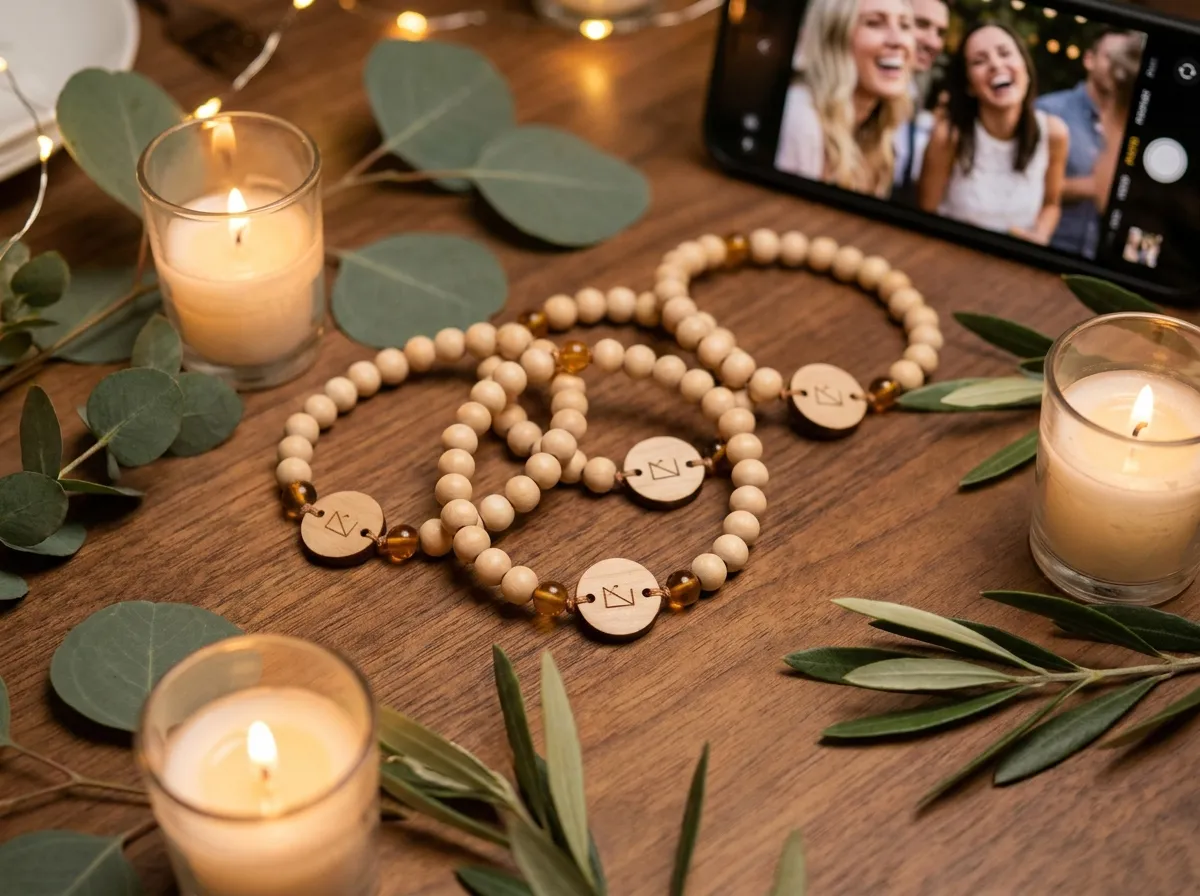
The simplest way to handle birthday party photo sharing is to give each guest a tap-to-share band: they tap it to their phone, their own upload page opens, and every uploaded photo flows into one live album you keep — no group chat to wrangle, no app to download, no “can you AirDrop me that?” the next morning. Instead of photos scattered across a dozen camera rolls, you end up with one place for the photos guests choose to share.
Most of us already know the failure mode. You throw a great party, everyone takes pictures, and a week later you have four blurry shots someone remembered to text you. The good ones — the candid table moment, the cake-cutting from the other side of the room, the kids mid-laugh — never leave the photographers’ phones. The fix isn’t nagging people to “send their pics.” It’s making sharing a single tap.
What’s the easiest way to share birthday party photos?
The easiest method is to remove every step that asks a guest to do something later. A group chat asks people to remember, find the photos, and upload them after they’ve gone home — which most never do. A tap-to-share band collapses all of that into one motion at the party itself.
Here’s the flow:
- A guest taps the band to their phone (or scans the printed QR backup — works on older phones too).
- Their own upload page opens and greets them by name.
- They drop in their photos right there, and everything lands in one shared album.
No account, no install, no hunting for a link. Because the action is so light and happens during the party, you capture far more than you ever would chasing people afterward — including the candid shots nobody would think to text you.
Why is the group chat such a bad photo album?
A group chat feels convenient in the moment, but it’s a terrible permanent home for memories. Photos get compressed, they sink under reactions and replies, and they’re trapped inside one messaging app. Six months later, finding the cake photo means scrolling through hundreds of “lol” messages and a side conversation about parking.
There’s also the awkward social tax: someone has to make the group chat, add everyone’s numbers, and then play the role of nag. Half the guests are on different apps, a few don’t want their number shared, and the people who took the best photos are usually the ones who forget to post them.
The best party photos aren’t the ones people post. They’re the ones still sitting on a guest’s camera roll — unless sharing them takes a single tap.
A dedicated album fixes all of this. Sharper photos than a chat sends, one searchable place, and it stays yours long after the chat would have gone quiet.
Does this work for any kind of party?
Yes. A birthday is just one occasion — the same band works for a milestone birthday, a graduation, an anniversary, a backyard summer party, or a kid’s celebration where the adults are the ones holding the cameras. Anywhere people are taking photos and you want them in one spot, the approach holds. (For a sibling occasion, weddings have their own version over at WearableWedding.)
What makes it feel special rather than corporate is the band itself. Each one is a real bead band — wood, stone, or porcelain beads with a small laser-engraved wood tag — so it doubles as a keepsake guests actually want to wear, not a plastic wristband they toss in the trash on the way out. You can design yours in the 3D configurator: pick the bead materials, choose a tag shape, and engrave a name or the date.
If you’re throwing something larger or more produced, the same idea scales up. Bigger parties and even corporate events use the exact mechanism — one band per guest, one album for the host.
Who controls the photos, and is it private?
The host owns the album. You decide what happens to every photo, and privacy is built in rather than bolted on. Each photo a guest uploads can be set to public, group-only, or organizer-only, and that setting is enforced on the server — not just hidden in the interface.
That matters for a few reasons:
- Kids’ parties — parents can keep photos visible only to the host, not posted anywhere public.
- Mixed crowds — guests who don’t want their face on social media simply aren’t, while the host still keeps the full set.
- You keep it forever — the album is yours to export, print, or turn into a recap. It doesn’t disappear when an app updates or a chat goes inactive.
When the party’s over, you have a complete, organized album instead of a scavenger hunt. If you want to learn more about how upload permissions work, the FAQ covers the details.
How much do the bands cost, and how do I get them?
Bands are made to order from a minimum of five, with per-band pricing that falls as the guest list grows, and most hosts simply order one band per guest. Because they’re produced individually, you can personalize names, colors, and the engraved tag rather than getting a generic batch. Head to the pricing page for the per-band prices, or start by designing one in the configurator.
A quick note for the planners and party companies reading this: the same product is available white-label, so event and experiential teams can run it under their own brand. The chip inside can also do more than photos — it’s made by a manufacturer with decades of NFC experience, so the same tap can link guests to an event page, an RSVP, or a playlist.
If you want to go deeper on the photo side, these related reads help:
- How to collect every photo from your event — the full method, beyond just parties.
- Tap-to-share vs. a QR photo wall — why one tap beats a printed code.
- Choosing an event photo-sharing app — what to look for if you’re comparing tools.
The takeaway
Birthday party photo sharing shouldn’t end with a half-empty group chat and a promise to “send pics later.” Give each guest a band they tap once, invite guests to choose and upload photos into one album you control, and walk away from the party with the whole night in a single place. Design your bands in the configurator and give guests a clear way to contribute their photos.
