
NFC & support
NFC Bracelet Not Working? Try This Checklist
Troubleshoot an NFC bracelet on iPhone or Android. Check the NFC bead, phone position, settings and web connection, then separate a failed read from a broken link.
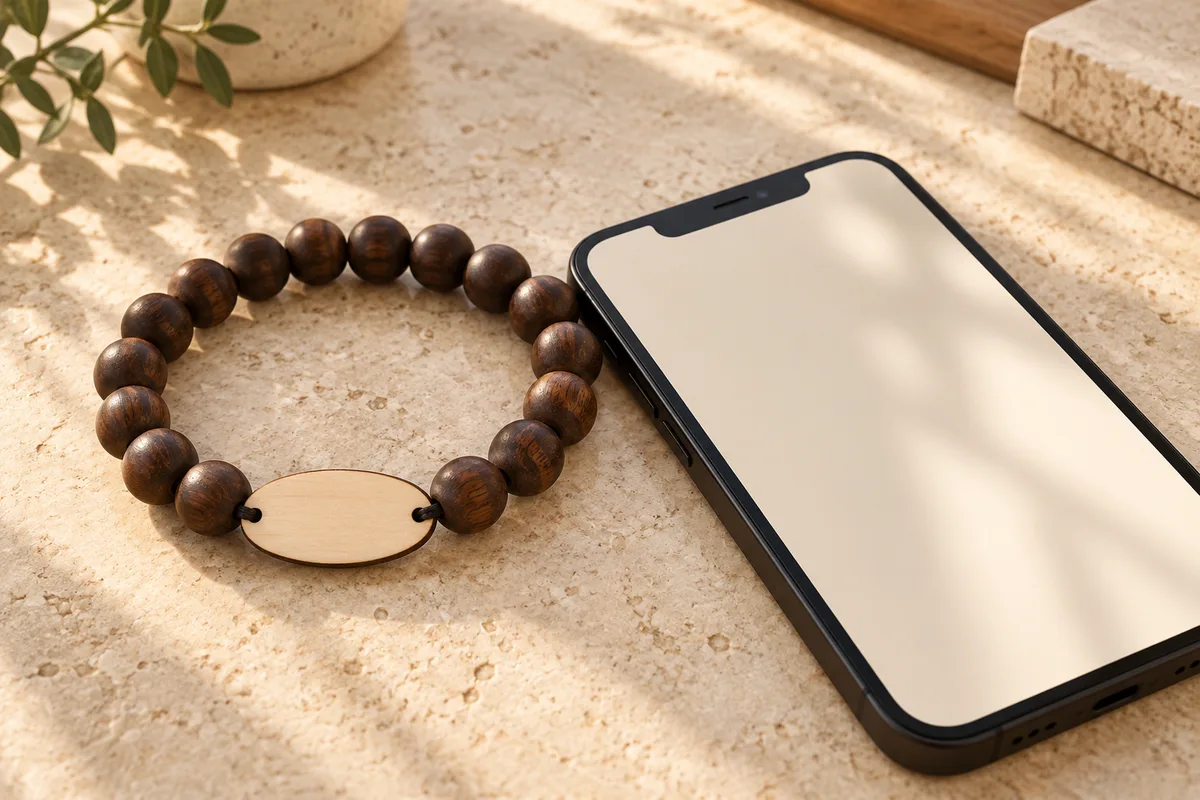
If an NFC bracelet is not working, first decide whether the phone failed to read the chip or read it successfully but could not open the website. Bring an awake, unlocked phone close to the NFC bead, pause for a notification and open it if shown. Then test the page’s internet connection separately.
On a WearableEvents beaded bracelet, the NFC chip is sealed inside a charm bead. The engraved wood tag is a separate part. Tapping only the center of the wood tag can therefore miss the intended reading point.
What happens when you bring the phone close?
The visible response tells you which part of the flow needs attention. No notification points toward positioning, phone support or chip reading; a notification followed by a browser error points toward the web destination or connection. Use the table to avoid changing the wrong thing.
| What you observe | What to check next | Useful comparison |
|---|---|---|
| No response at all | NFC support, phone state and bead position | Try another compatible phone |
| A notification appears | Open the notification and unlock if asked | Check the address it offers |
| A browser error appears | Internet access and the destination URL | Open the supplied direct link |
| The wrong page opens | The encoded destination or event assignment | Ask the organizer to check that bracelet |
| The album opens but upload fails | Connection and the page’s upload instructions | Try one photo and record the error |
| One phone works, another does not | Model-specific NFC settings and antenna position | Check the second phone’s documentation |
Keep the bracelet’s original encoding intact while you investigate. Rewriting a tag can erase the information the organizer needs to identify the original problem.
How do you check an iPhone?
Wake and unlock the iPhone, then bring the upper part of the phone close to the NFC bead. Move slowly around the bead rather than repeatedly swiping past it. If a notification appears, tap it to continue to the linked page.
Apple’s background NFC reading documentation describes support on iPhone XS and later, with a user-opened notification. It also lists operating states that can prevent background reading, including an active camera, Wallet, another NFC reading session or Airplane Mode. Close those activities and try again. Older models require a model-specific check rather than an assumption that every iPhone behaves the same way.
You do not need to set up Apple Pay to open a bracelet’s web link. Avoid treating a URL tag as a payment card. If you have already seen its notification, focus next on opening and loading the page.
How do you check an Android phone?
Search the phone’s settings for NFC and enable it if the model supports it. Check the manufacturer’s antenna diagram because reading positions differ. Bring that part of the phone near the bracelet’s NFC bead and pause.
For Pixel phones, Google gives the path Settings → Connected devices → Connection preferences → NFC → Use NFC in its NFC help page. Other Android brands may use different labels. That page also explains that nearby cards in a wallet-style case can interfere with NFC reading; remove the case and cards temporarily as a test.
These are NFC hardware checks. The payment setup steps elsewhere in Google’s article are not required for a bracelet that opens a web address. If the phone lacks NFC support, use an available QR code or direct link instead.
What if the tag reads but the page will not load?
A successful read does not supply internet access. Check Wi-Fi or mobile data and open an ordinary website in the browser. If the venue has a guest-network sign-in page, complete that connection step before retrying the album.
Next, open the organizer’s direct link. If that link also fails, report the website error. If the direct link works but the bracelet opens a different address, ask the organizer to check the bracelet assignment or encoded URL. This comparison is more informative than repeatedly tapping a chip the phone has already read.
If the album loads but a photo upload fails, follow the page’s upload instructions and try a single photo. Record the error and whether the connection changed. Guests select and submit photos themselves; no tap automatically copies the camera roll.
How can an organizer isolate a fault at an event?
Test one bracelet on two known NFC-capable phones, then test a second bracelet on the same phone. If only one bracelet fails across both phones, that points toward the bracelet or its encoding. If several bracelets fail on only one phone, investigate that phone first. This is a diagnostic clue, not proof of a particular hardware fault.
Keep a readable direct URL or confirmed QR fallback available so a guest can continue while the issue is checked. One staff member should know the destination and the correct NFC-bead position before distribution starts.
What information helps support resolve the issue?
Send the phone model, operating-system version, bracelet or event reference, whether a notification appeared, and the result from another phone. Include the visible error or incorrect destination if there is one. Avoid sharing private album content or personal access links publicly.
Use WearableEvents support for an order question. Before a future event, the custom NFC ordering guide helps you agree the destination, ownership and testing plan alongside the physical bracelet design.
Frequently asked questions
Where should I tap a WearableEvents bead bracelet?
Bring the phone's NFC reading area close to the NFC charm bead. The chip is sealed inside that bead, not the engraved wood tag. Phone antenna positions vary, so move the phone slowly and hold it still once it detects the tag.
Do I need Bluetooth or a special app?
A compatible phone can read the bracelet's web link without Bluetooth pairing or a special WearableEvents app. Phone support varies. After a successful read, you may need to tap a notification to open the page in your browser.
Why does my iPhone show a notification without opening the album?
The notification means the phone has detected the NFC link. Tap the notification and unlock the phone if prompted. If the page then fails to load, check the internet connection and destination address rather than treating the problem as a failed NFC read.
What if my Android phone has no NFC setting?
Search the phone settings for NFC and check the manufacturer's instructions for the exact model. Some models do not support NFC. If it is unavailable, use the organizer's supplied QR code or direct web link to reach the same destination.
Does the bracelet upload photos automatically?
No. The NFC link opens the destination page. For an event album, the guest chooses photos and submits them using the browser. A successful tap does not give the bracelet access to the camera roll or automatically upload new pictures.
Should I rewrite or reset the bracelet if a tap fails?
Do not rewrite or reset it as a first troubleshooting step. Check phone support, positioning and the web link, then compare with another compatible phone. Contact the organizer or supplier with the results so the original encoding and event assignment can be checked.
